sims2-ds-hd: The Sims 2 DS played like a console game
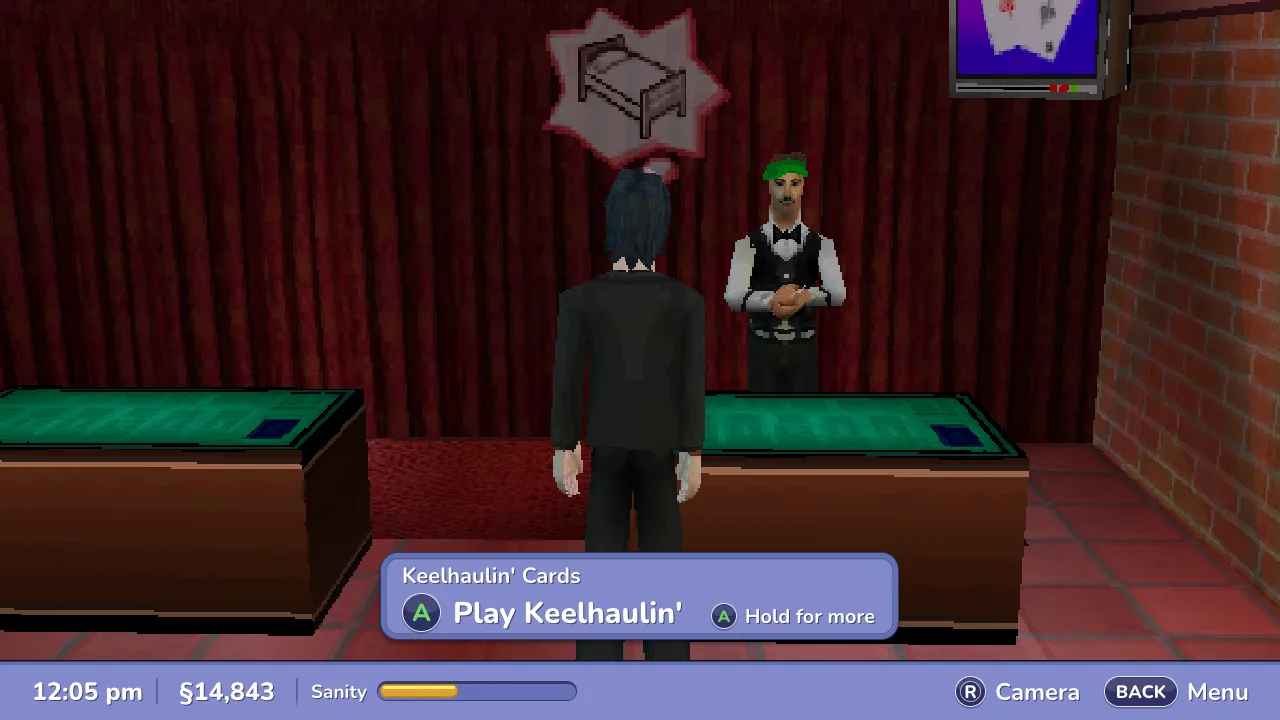
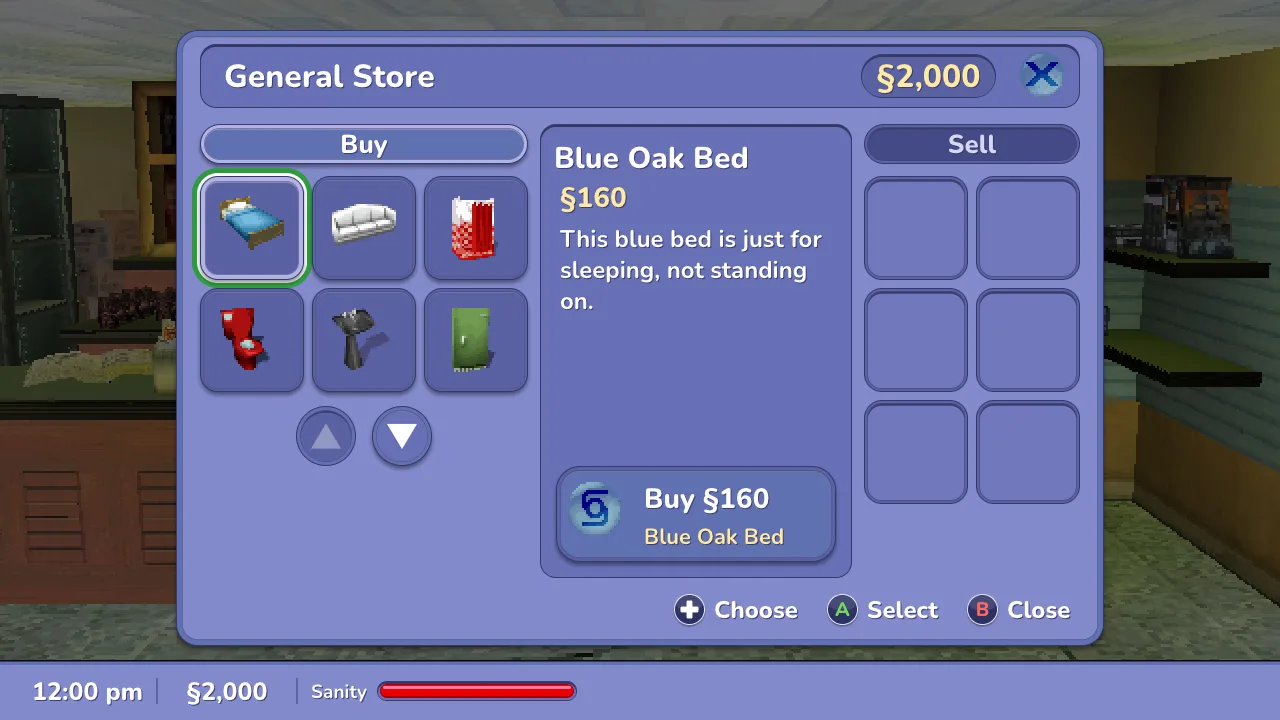
The Sims 2 for the Nintendo DS (2005) lives on two small screens: the town in 3D on top, every menu on the touch screen below, stylus only. This is a PC port of sorts without a line of the game: the melonDS core runs your own cartridge dump, and a frontend of mine shows the town in one widescreen window and redraws every touch-screen menu in HD, in the game's own colours, icons and words, driven by a controller. Windows, Mac, Linux and the Steam Deck. It is not a decompilation and ships nothing of the game.
Source: https://github.com/lborruto/sims2-ds-hd
Pokémon FullDex does this for the DS Pokémon games, and I had contributed French support to it. I wanted to know whether the idea holds for a game with no decompilation and no community tooling at all, and how far it could go:
- one window, no second screen anywhere, not even in Create-a-Sim or the minigames;
- a controller only: no stylus, no mouse cursor to push around;
- menus sharp at any size, from a 7" handheld to a television;
- nothing of the game in the repository, ever.
The first version only chose which DS screen to show big, by recognising pixels. It worked and felt like an emulator. The second reads what the game is doing from its memory and draws the interface again from scratch; that one feels like a console game.
your .nds ──▶ melonDS 1.1 core ──▶ 3D world (top screen) ──▶ sharper, 16:9, 60 fps
                   │
                   ├─ RAM, read every frame, never written
                   │     which screen, which rows, which is lit, is it ready for a press
                   ├─ the ROM's own files, read at run time
                   │     strings in 5 languages, icons, sprites
                   ▼
        one model per screen (items, actions, moves)
                   │
        ┌──────────┴───────────┐
        ▼                      ▼
  HD drawing             controller navigation
  (vector kit, Nunito,   focus, A / B, tabs; each action is the
   CPU raster)           game's own tap or key, sent when it is ready
        └──────────┬───────────┘
                   ▼
           SDL2 window, 1280 × 720 canvas scaled to fit
- Read the game, do not change it. No decompilation and no patches to the game: the frontend finds the game's screen manager in RAM, range-checks every field and treats anything odd as "unknown", which falls back to the DS's own picture. RAM is never written, so a save made here is a save the cartridge would accept.
- The game's own words and pictures, from your copy. Menu text comes from the ROM's string table in its five languages, icons from its sprite archives, decoded at run time. The repository holds only the port's own 298 words, each in five languages.
- Every action is a tap the game would have received. Pressing A on an HD button queues the stylus tap or key the DS screen expected, held until the game says it is settled. Minigames that needed aiming (the vacuum, the autopsy) get an assist: A takes the nearest find and carries it where it goes.
- One composition for drawing and input. The same description places the pictures and maps the mouse back to the touch screen, so nothing can be drawn in one place and clicked in another.
-
A deterministic renderer. The interface is rasterised on the CPU with the same bytes on every machine, so the check is blunt: 315 scripted situations from save states, compared picture for picture, plus a byte-for-byte comparison of the plain layout against
mainon every change. - 60 fps from a 30 fps game. The in-between frames come from pairing the polygons of two game frames; a model is paired whole or not at all, which is what stops a walking Sim from tearing.
-
Built with agents, checked like a product. Most of the code was written by Claude agents working in parallel worktrees from plans I reviewed, each task gated by an independent review and the picture checks. CI builds Linux, a universal Mac app and a static Windows
.exe, scans the whole history with gitleaks, pins every action by commit and attests the release archives.
You need your own copy of the European version, dumped from your cartridge. Download the build for Windows, Mac or Linux from the releases, open it and choose your .nds; a controller is picked up by itself. The README has the controls and the Steam Deck steps, and CONTRIBUTING the build from source.
More in side-projects
Created 2026-11-13T15:23:41+01:00 · Edit